
This project involved developing a 90–150 second video tutorial using Camtasia to introduce beginners to applying and customizing styles in Google Docs. The tutorial was designed to improve document organization and professionalism while remaining accessible for novice users. Drawing from coursework in Digital Literacies, the project applied screencasting, instructional design, and usability best practices to deliver a concise, engaging, and professional learning resource.
Goals
The goals of the project included:
- providing clear, step-by-step instructions on applying and customizing styles in Google Docs
- demonstrating the benefits of using styles, such as creating a clickable Table of Contents (TOC) and improving accessibility
- using visuals, audio narration, and on-screen highlights to engage viewers and make the instructions easy to follow
Objectives
The primary objectives of this project were to:
- design a concise, user-friendly script and storyboard for the video tutorial
- create a screencast demonstrating key functionalities in Google Docs
- produce an engaging tutorial with professional audio narration and visual markers
- ensure the tutorial met accessibility standards and provided value to beginner users
Outcome
The project achieved the following results:
Clear Instructions
A tutorial that provides step-by-step guidance on applying and customizing styles, reducing formatting confusion for beginner users.
Practical Benefits
A demonstration of how styles improve accessibility and generate clickable tables of contents, offering tangible efficiency and usability gains for professional settings.
Engaging Delivery
A video that uses narration, highlights, and visual markers to keep viewers focused while aligning with instructional design best practices.
Professional Deliverable
A polished tutorial video that meets accessibility standards and can be repurposed for organizational training libraries or online learning platforms.
Approach
Teaching end users how to apply and customize styles in Google Docs is important because consistent formatting improves accessibility, enhances professionalism, and supports efficient document navigation.
The project was completed through a systematic process informed by my coursework in Digital Literacies.
Scripting and Storyboarding
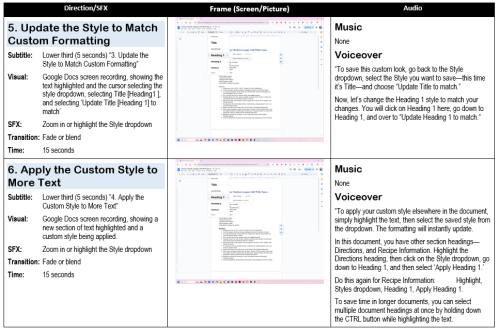
The process began with the development of a script and storyboard to define the structure, visuals, and narration. The storyboard included:
- Key frames for each step in the process.
- Subtitles and visual effects, such as zooms and highlights, to emphasize important actions.
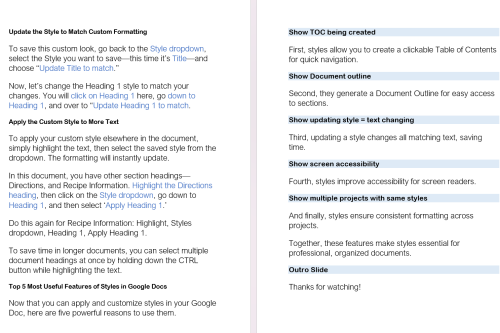
- Narration text designed to align with the visual actions on-screen.
Recording and Editing
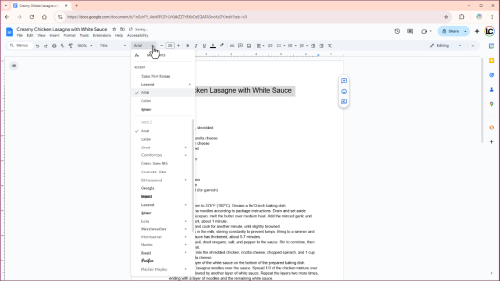
The next phase involved recording and editing the video. During screen recording, I used Camtasia to capture the step-by-step process I was completing in Google Docs, including creating, applying, and customizing styles.
For the audio narration, I recorded voiceovers on Camtasia, aligned with on-screen actions for a cohesive user experience.
During editing, I incorporated transitions, visual markers, and subtitles to enhance clarity and engagement.
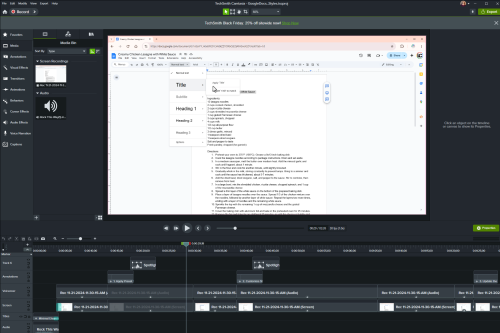
The deliverable is a polished 1080p video tutorial, reviewed against course rubrics to ensure it met technical, design, and accessibility standards.
The final tutorial not only equipped users with clear, step-by-step skills but also demonstrated how short, accessible training content can support onboarding, productivity, and long-term document usability in workplace settings. To ensure quality, the video was reviewed against course rubrics and accessibility standards, confirming that it met professional expectations for clarity, usability, and inclusivity.
Final Deliverable
The final deliverable is a video tutorial exported in 1080p MP4 format with captions enabled, making it suitable for professional distribution through training libraries, YouTube, or organizational knowledge bases.